
BANDAI TCG+ prohibits the creation of multiple accounts and proxy
participation in events.
Accordingly, facial information registration is required to apply for
or participate in certain events.
*The target regions for the face recognition function are Japan, Singapore, the Philippines, Malaysia, Indonesia, Hong Kong, Macau, Thailand, and Taiwan.
Register Facial Photo
*Please note that facial photo screening may take several days. We cannot accept applications or participation in events even if you were unable to do so due to the time taken for facial photo registration. Please register your facial photo as soon as possible.
*If you have changed the default browser app on the device you use for
BANDAI TCG+, please change it back to Safari for iOS or Chrome for
Android before proceeding with the steps below.
Click here for how to set the default browser app
-
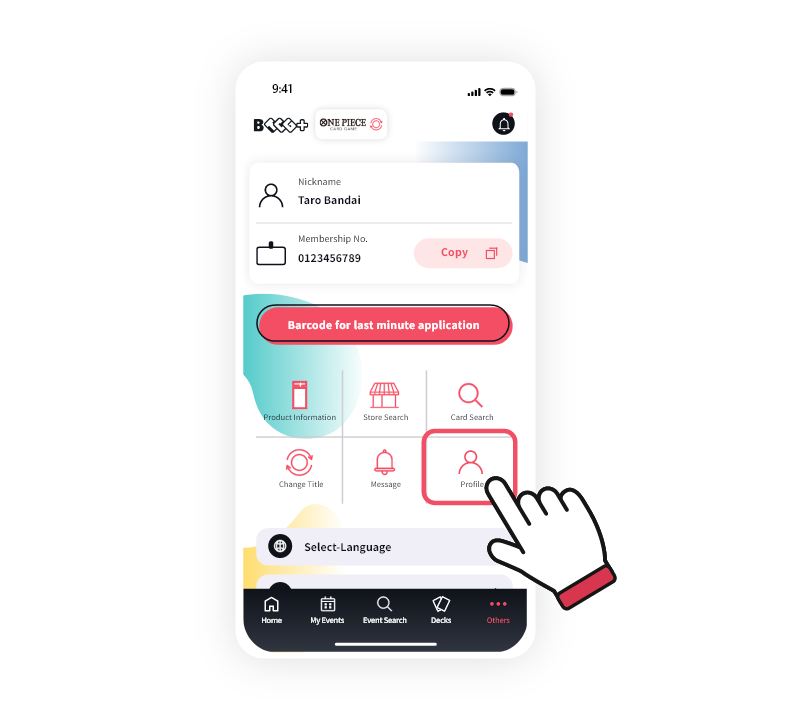
1Tap "Others" in the bottom menu of the app.

-
2Tap "Profile".
-
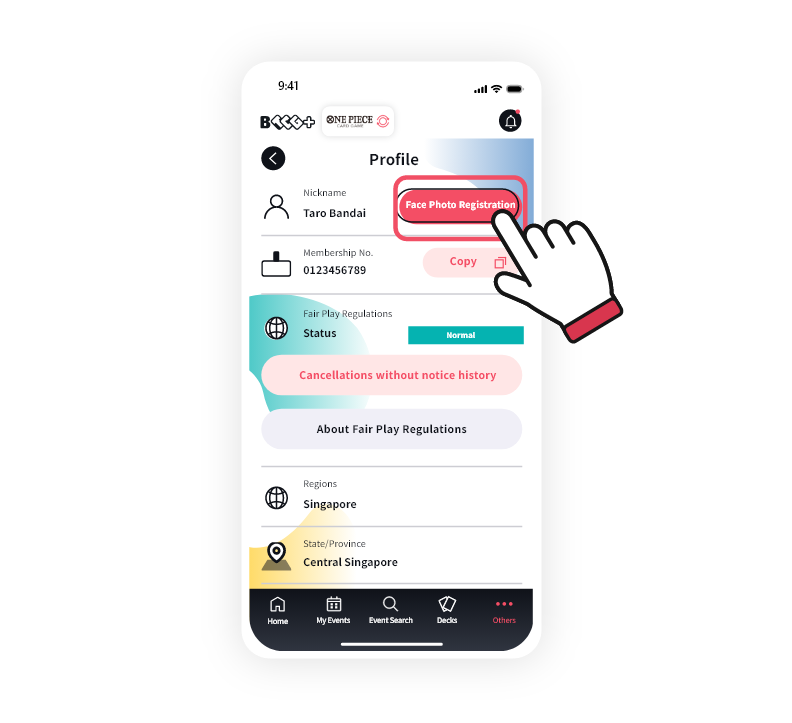
3Tap "Face Photo Registration".
-
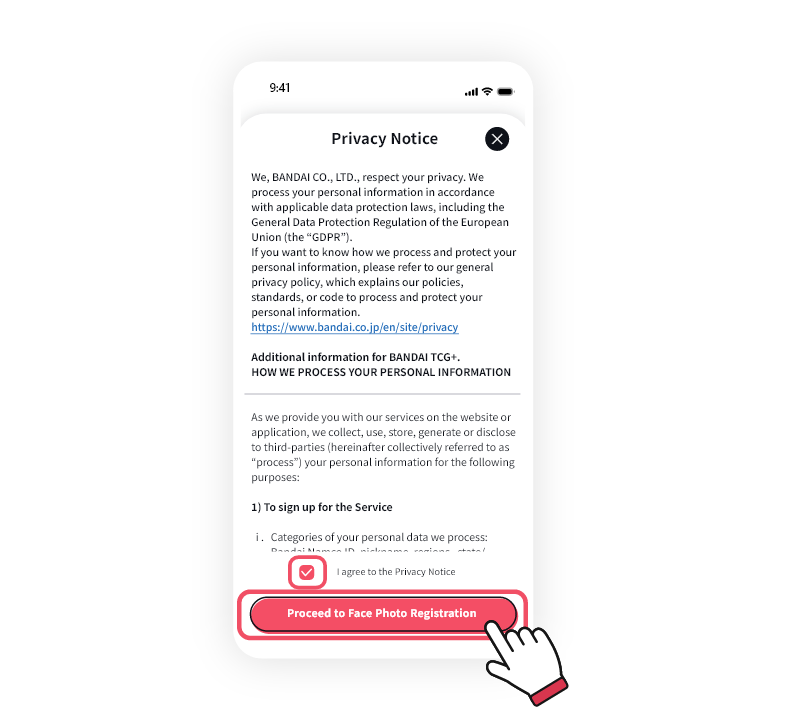
4Please read the Privacy Notice, and if you agree, check "I agree to the Privacy Notice" and tap "Proceed to Face Photo Registration".
-
5A MOALA account is used to register your facial photo. Please follow the on-screen instructions to create a MOALA account and register your facial photo.
Click here for MOALA account operations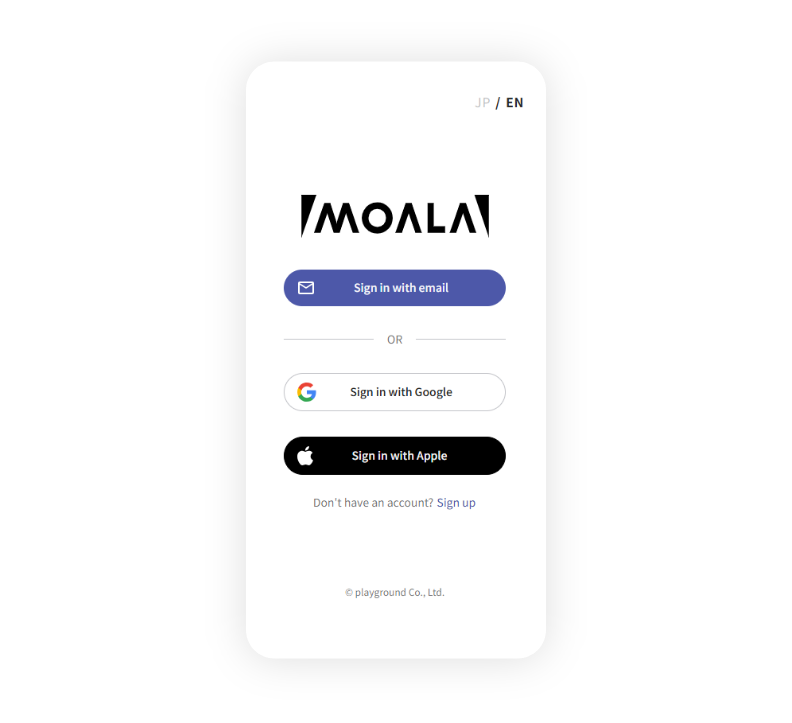

If your current appearance differs significantly from the photo, you may be asked to re-register your facial photo.
These types of facial photos cannot be registered
 Glasses are reflecting light
 Thick glasses frames obscuring eyes or face
 Tinted glasses
 Blurry
 Reflecting light
 Photo is too dark
 Face is covered by a mask or hair
 Head is covered by a hat
 Wearing headphones or earphones
 Smiling
 Exaggerated expressions
 Head is cut off
 Not facing forward
-
6Once you have registered your facial photo with your MOALA account, "Under Review" will be displayed on your profile in the BANDAI TCG+ app.
*The screening may take over a week. Please note that screening will be temporarily suspended during summer holidays and year-end/New Year holidays.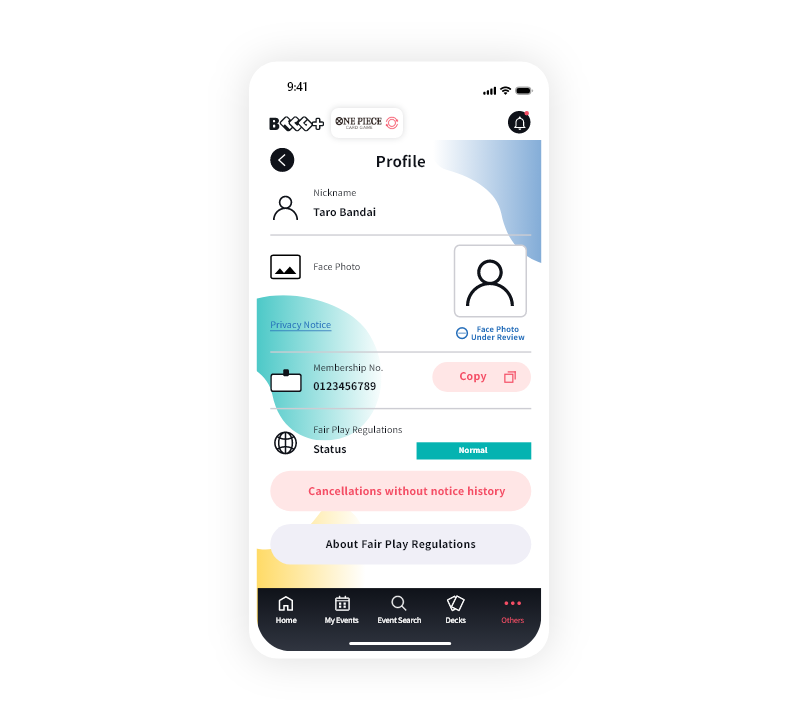
-
7Once the screening is complete, the facial photo registration is finished.
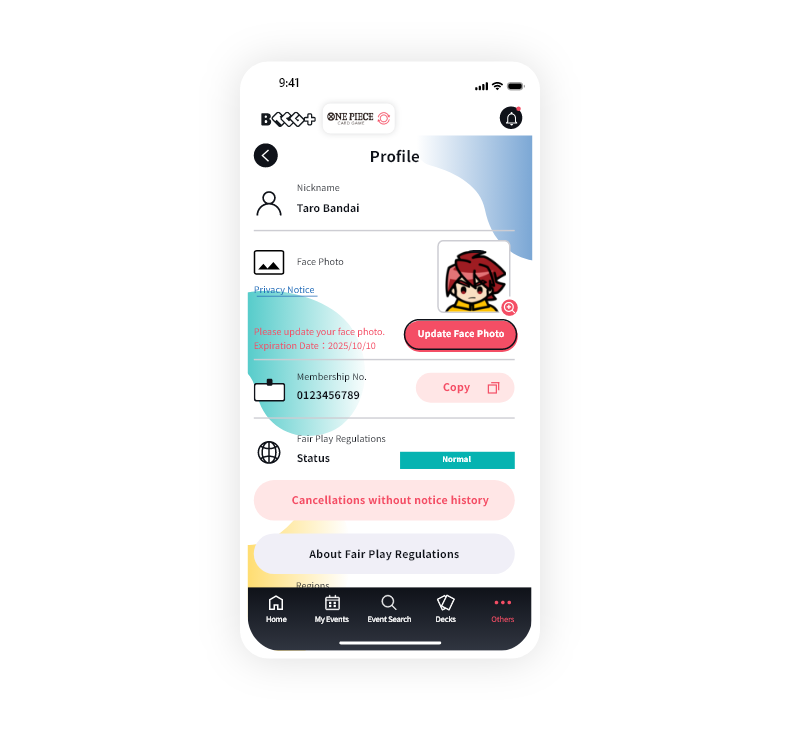
*Facial photos are valid for 3 years. If the expiration date is approaching, please update your facial photo.
Click here to update your facial photo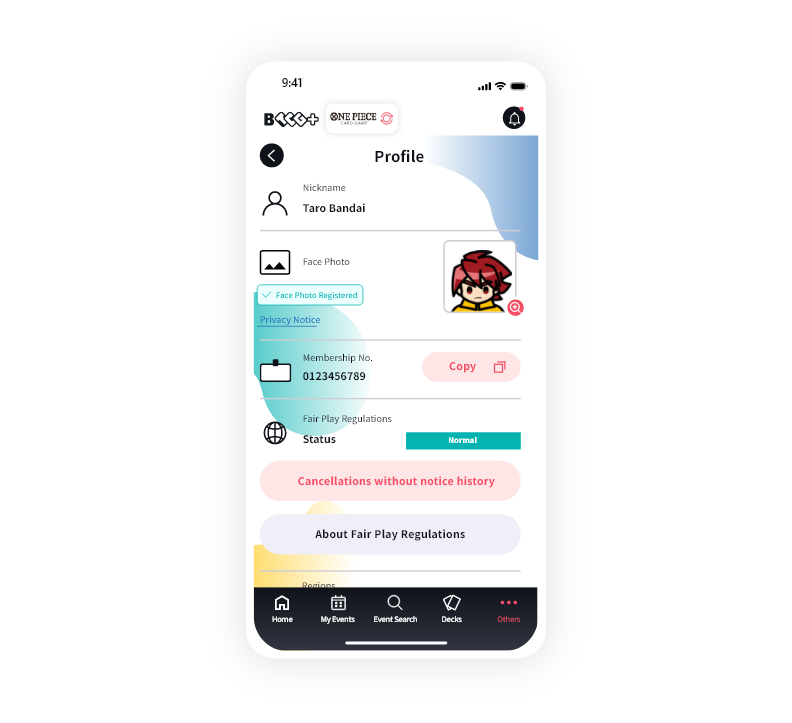
Facial Recognition Event Check-in
-
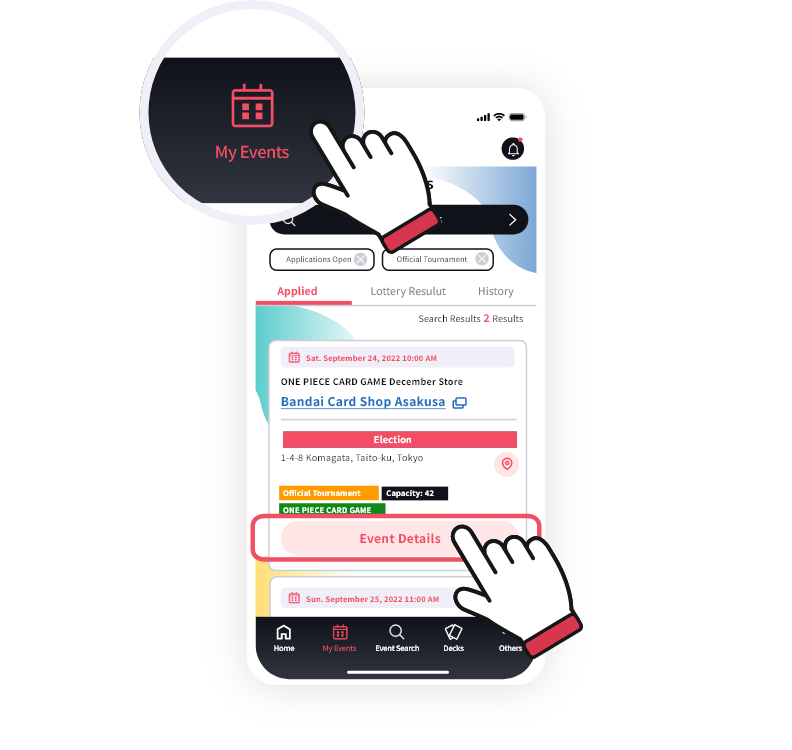
1Find the event you are participating in from "My Events" in the bottom menu of the app and tap "Event Details".
-
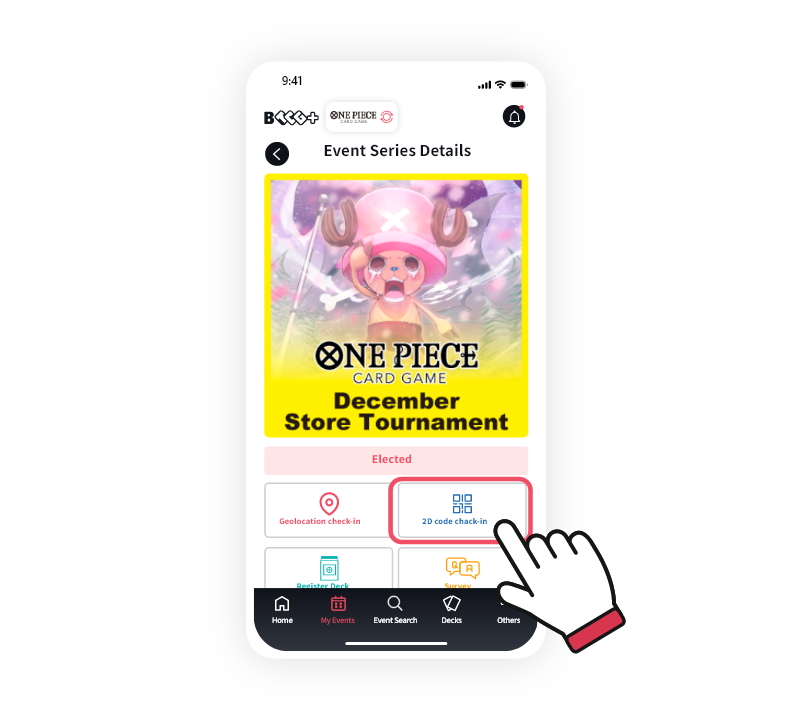
2Tap "2D code check-in".
-
3Hold your smartphone displaying the 2D barcode next to your face, and show both your face and the 2D barcode simultaneously to the camera of the facial recognition terminal.
*Please remove masks or anything covering your face during facial recognition.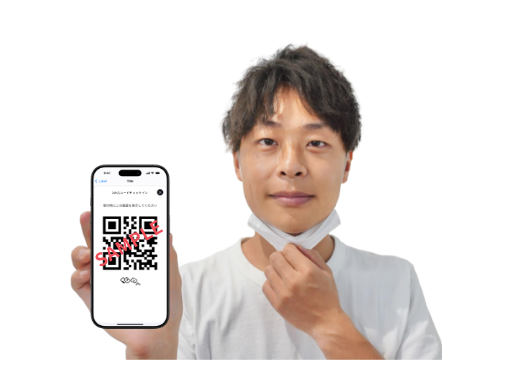
-
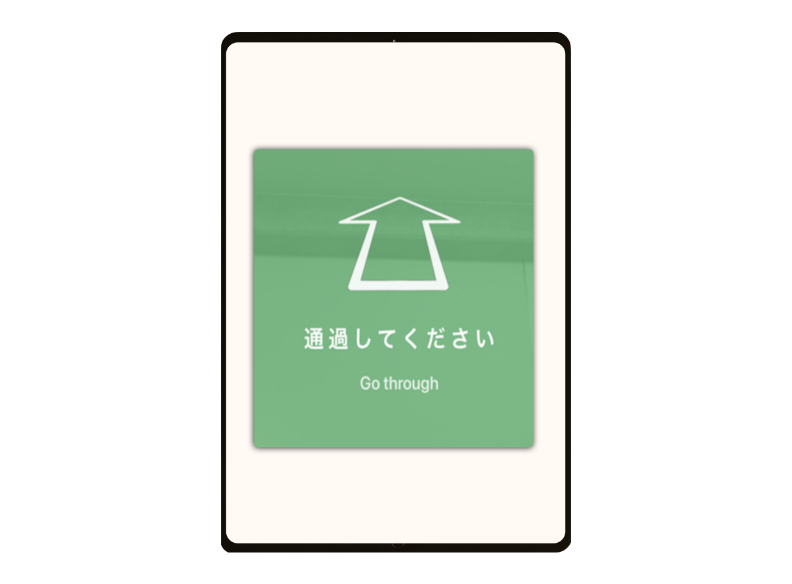
4If authentication is successful, please proceed. If authentication fails, please ask a nearby staff member for assistance.
Update Facial Photo
-
Facial photos are valid for 3 years after registration or update.
Six months before the expiration date, "Update Facial Photo" will be displayed on your profile screen. Please tap it within the valid period to proceed with the update.